Capabilities
Integration Surfaces
CYO applications can be surfaced in two primary ways:
| Surface | Description |
|---|---|
| In-frame widget | An iframe-based widget embedded inside Online Banking (OLB), managed through Experience Groups |
| Separate browser window | A hosted page launched outside the widget stack, still authenticated via SAML SSO |
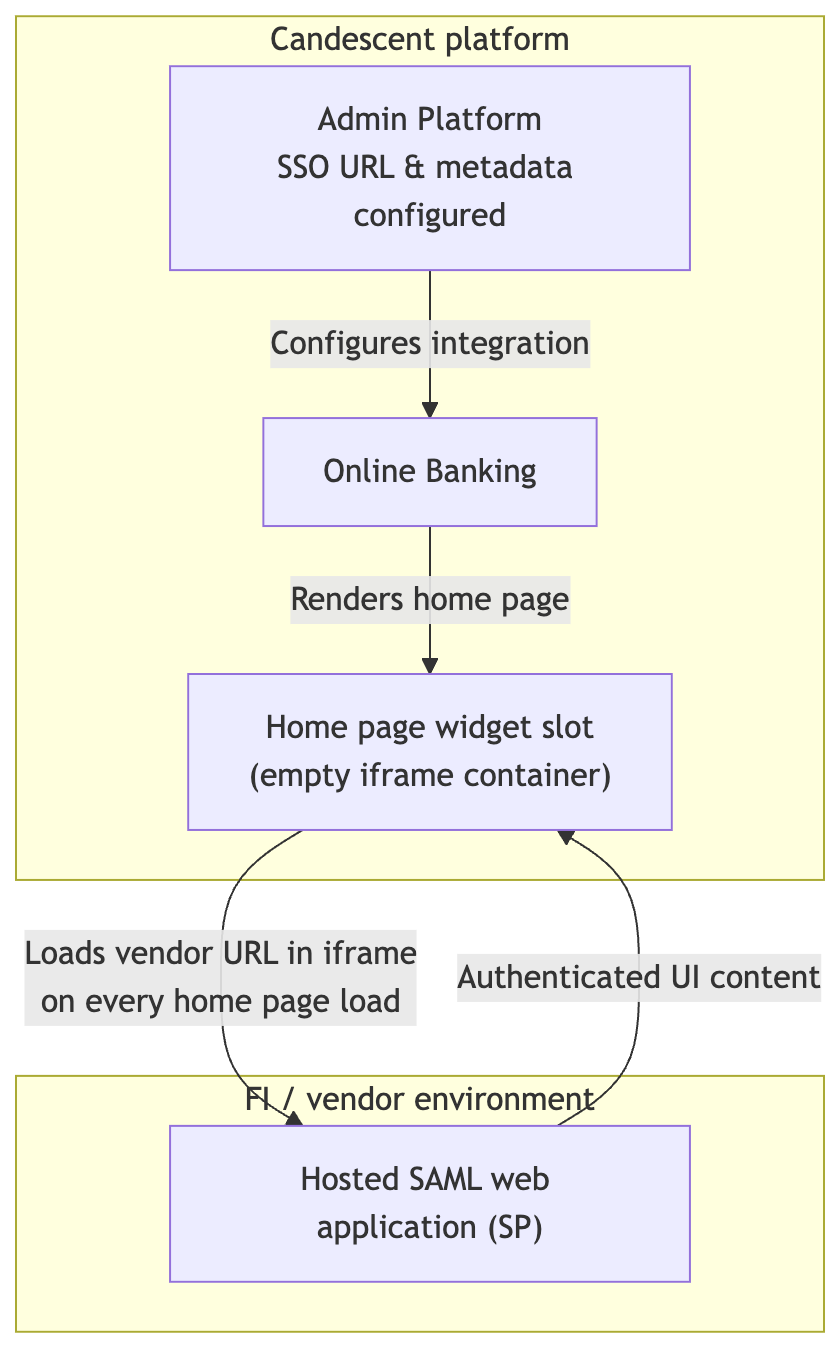
CYO widgets are the most common in-frame integration. The platform provides the widget container, applies the header (title and icon), and manages layout and stack behavior. The FI controls the endpoint content displayed inside the iframe.
CYO Widget Features
CYO widgets configured in Experience Groups → Modern Widgets support:
| Feature | Description |
|---|---|
| Iframe embedding | Created by selecting Yes for "Load Widget in IFrame?" when adding a new widget |
| Configurable URL | Secure endpoint hosted by the FI or vendor |
| Layout options | Standalone page or stack card placed in the widget stack |
| Header chrome | Platform-managed title and icon with optional FI overrides — see Technical Reference |
| Responsive sizing | Widget width adapts to column layout; height defaults to 600px with optional dynamic resizing |
Institutions have a maximum number of CYO widgets they can create. When the limit is reached, the add-new control is disabled and a Candescent support ticket is required to increase the count.
SAML SSO
CYO integrations use SAML to pass authenticated user data from Candescent Digital Banking to the FI-hosted application without requiring a second login.
Candescent Digital Banking acts as the Identity Provider (IdP). The FI or vendor application acts as the Service Provider (SP). SAML assertion fields, profiles, and validation rules are documented in the SAML Integration.
Administrative Permissions
CYO widgets expose role-based controls over metadata and URL editing:
| Role / permission | Can edit metadata | Can edit source URL |
|---|---|---|
Candescent Admin (manage-global-widgets) | ✓ | ✓ |
FI Admin (FI_WIDGETS_EDIT) | ✓ | |
FI Admin (fi-widgets-read-only) | View only | View only |
Legacy Widget Migration
FIs migrating to the Modern UI receive automatic conversion of legacy custom widgets into Modern CYO stack-card widgets:
| Legacy property | Modern property |
|---|---|
title | Widget Name |
custom.configuration | Widget URL |
Migrated CYO widgets are added to the FI's widget stack but are deactivated by default. An FI Admin must explicitly activate them — see Getting Started.
Next Steps
- Integration Surfaces — Choose the right placement for your application
- Getting Started — Create, activate, and publish a CYO widget
- Technical Reference — Sizing, iframe resizing, and troubleshooting